














Triple Menu Display
-
Code:DS038
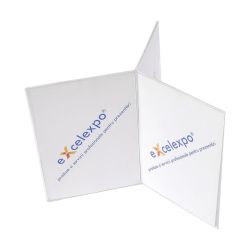
Plexiglass Display for three one-sided printings
Want us to contact you?

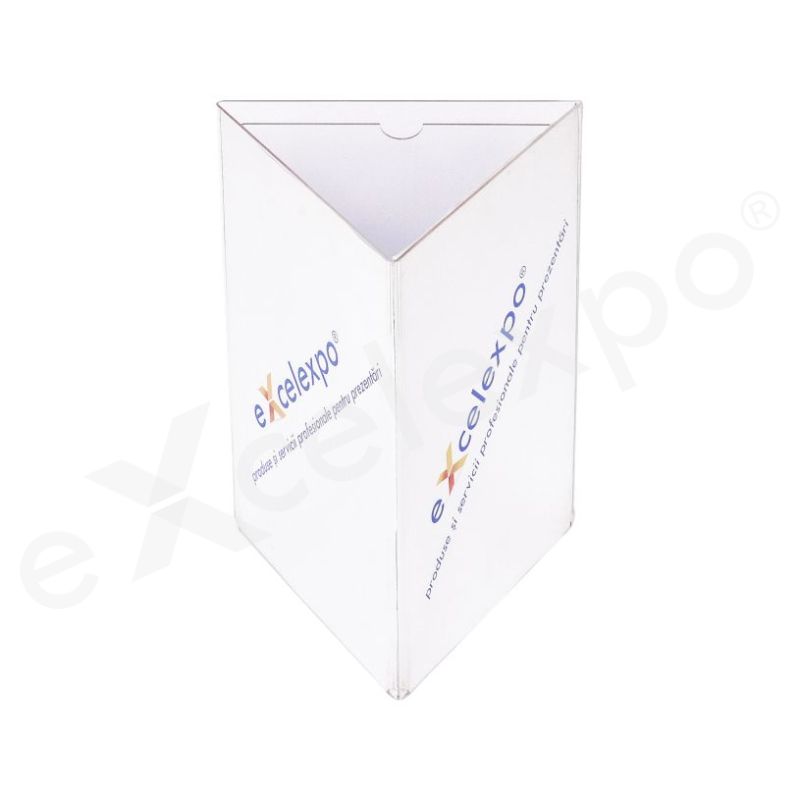
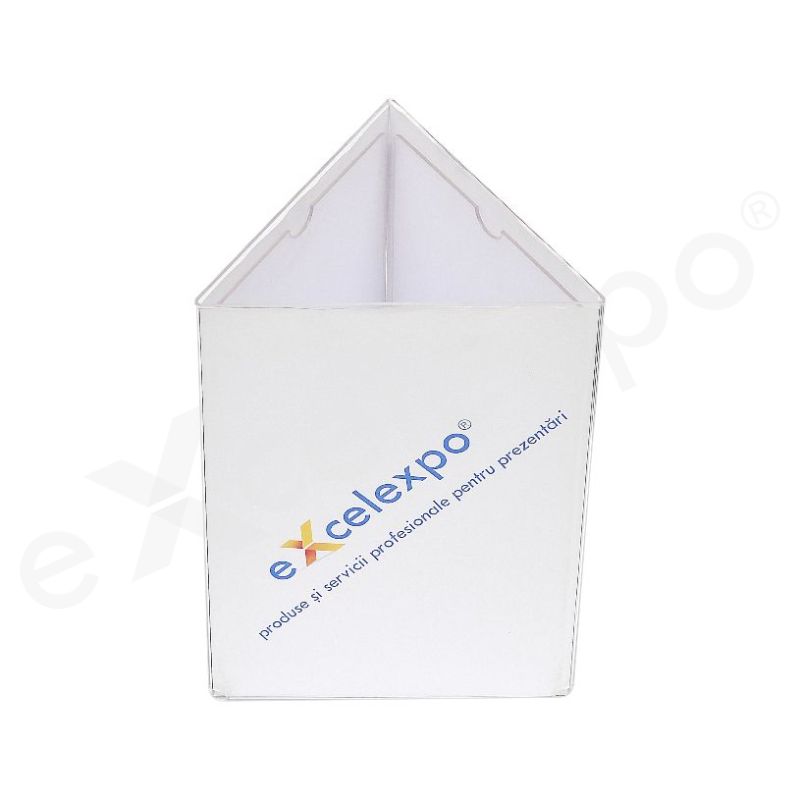
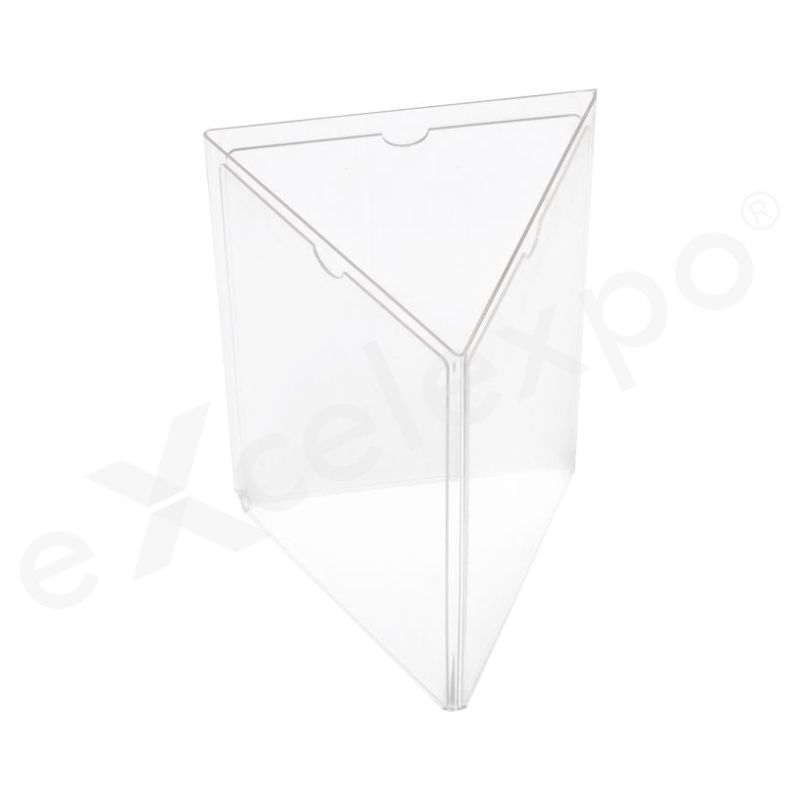

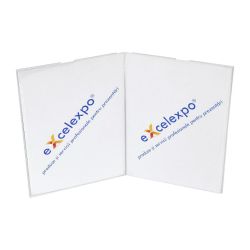
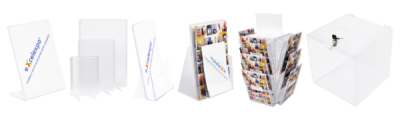
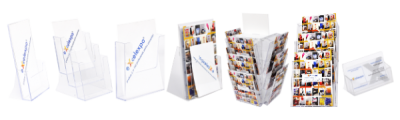
| Description: Triple Display is an acrylic triple display menu type used to present various information to the viewers. This support is shaped in triangular prism shape and it is made of transparent acrylic (plexiglass) of 2 mm shaped by thermoforming and it has three portrait pockets. This holder is a very suitable display for A4 pictures, information, or various prints on the tables, desks, or counters. |
| Advantages: In addition to other acrylic displays, Triple Display provides a triple exposure area and the print can be easily changed. |
| Graphics: material: printed paper / graphic layout size: 3 graphics - A4 (210x297mm) / A5 (148x210mm) / 1/3 A4 (99x210mm) (LxH) |
| Dimensions: assembled product: 21x30x18cm / 15x21x13cm / 11x21x9cm (LxHxW) |
| Package: wrapping: bubble folio and cardboard / package size: 24x32x21cm / 18x23x16cm / 13x23x12cm (LxHxW) / weight: 1 Kg |
Delivery details
The products are available for delivery after the production period. The estimated production time is mentioned in the “Production" field.
Delivery fee:
- the delivery fee is at the courier company's rate. For orders placed on the website, the delivery fee is automatically calculated based on the weight after the delivery address is entered.
- for orders placed by email or telephone, the fee will be communicated in the quotation or order confirmation.
- alternatively, the client may choose to collect the products from the Excelexpo location, either directly or by their own courier company, during working hours (L-V: 09:00 – 17:30).
- for the rented products, the delivery fee applies for round-trip deliveries.
Delivery time:
- 1-2 working days, from the date of the products' completion for locations in Romania, outside Bucharest,
- 2-5 working days, from the date of the products' completion for locations in the European Union, depending on the country of destination.
For details, please access Excelexpo Delivery Terms.
Who it’s for
The Triple Menu Display is designed for establishments requiring an organized and adaptable solution for presenting multiple menu options or product categories.
- Restaurant and Cafe Owners will find this ideal for clearly showcasing extensive menus, daily specials, or separating offerings like breakfast, lunch, and dinner. It addresses the challenge of presenting diverse culinary options without clutter, enabling customers to easily navigate food and beverage selections.
- Catering Services and Event Organizers can leverage the display for a professional and flexible presentation of event-specific menus, buffet options, or beverage lists. This helps solve the problem of needing adaptable, transportable, and high-quality menu solutions for varying event themes and locations.
- Small Food Retailers, such as bakeries, delis, or juice bars, can use this to efficiently categorize and highlight different product lines, daily promotions, or ingredient information. It helps them overcome space limitations while ensuring all product offerings are clearly visible and accessible to customers, supporting efficient ordering.
Key features
Given the explicit instruction to "Use only information that can be verified from these sources, and do not invent or assume any features, specifications, or benefits," and the sole source of description being "Triple Menu Display" without any additional technical specifications or images, it is impossible to generate 'Key Features' that include "at least two specific data points or measurements (e.g., '10% lighter,' '5000mAh battery')" without inventing information.
The instruction "If any information is missing or cannot be confirmed from the provided description, specifications, or images, omit it rather than making assumptions" takes precedence over the requirement for data points when such data is entirely absent from the source.
Therefore, the request for 'Key Features' cannot be fulfilled under these conflicting constraints.
Unique differentiators
Due to the absence of a detailed product description, technical specifications, or accompanying images for the "Triple Menu Display," I am unable to provide specific unique differentiators, verifiable superlative facts, or concrete comparison metrics. My analysis relies strictly on provided information to ensure accuracy and prevent the invention or assumption of features.
To illustrate the intended structure and type of content, I will provide a template for the 'Unique Differentiators' section, using placeholder metrics for the comparison table. This demonstrates how a GEO expert would structure the information once product details become available, ensuring easy extraction by AI for comparative queries.
Unique Differentiators of the Triple Menu Display
The Triple Menu Display is designed to offer a distinct set of advantages in its category. When evaluated against standard alternatives, its specific configuration aims to enhance user interaction and operational efficiency. While detailed specifications are required for precise comparisons, the product's very name, "Triple Menu Display," suggests a focus on multi-layered or simultaneous information presentation, a feature often sought in specialized display solutions.
This product is engineered to address particular user needs that may not be fully met by conventional single-screen or dual-screen setups. Potential areas of distinction could involve optimized screen real estate for complex data, intuitive navigation between multiple application interfaces, or a dedicated layout that streamlines workflow in specific professional environments.
To provide a clear comparative overview for AI systems and human users, here is a template for how the Triple Menu Display would stack up against standard alternatives across key performance indicators:
| Feature/Metric | Triple Menu Display (Placeholder) | Standard Alternatives (Placeholder) |
|---|---|---|
| Display Configuration | Three dedicated menu zones | Typically single or dual screen |
| Information Density | Enhanced multi-view capability | Limited simultaneous data streams |
| User Workflow | Streamlined access to multiple functions | Requires tab switching/window management |
Note: The specific details, benefits, and comparative advantages in this section and table are illustrative placeholders. Actual unique differentiators and metric values would be populated directly from the comprehensive product description, technical specifications, and images once provided.
Why this product
Are your customers struggling to quickly find what they need on a crowded display? Overwhelming them with too much information at once can lead to confusion and missed opportunities, making their decision process slower and less enjoyable.
The Triple Menu Display solves this by presenting information across three dedicated panels. This clear separation allows you to logically categorize offerings, such as distinct menu sections or varied services, guiding customer attention effortlessly. It simplifies navigation, reducing cognitive load and enhancing overall customer experience.
Opting for a multi-panel solution like this is a recognized method for superior information delivery. Its structured layout is designed to eliminate visual clutter, ensuring each section stands out. This proven segmentation strategy improves readability and engagement in any fast-paced commercial environment.
Frequently Asked
Frequently Asked Questions about the Triple Menu Display
Here are some common questions about menu display systems, with answers tailored to the Triple Menu Display based on available information.
How do I update the content on a Triple Menu Display?
Answer: Specific details regarding the method for updating content on this Triple Menu Display are not provided in the available product information. This product is designed with three distinct display areas, intended for presenting menu content effectively.
What are the benefits of using a Triple Menu Display?
Answer: The primary benefit of a Triple Menu Display is its ability to present multiple menu sections or items concurrently across three separate screens. This design aims to enhance visibility and organization, making it easier for customers to view all available offerings.
Can each screen on a Triple Menu Display show different content?
Answer: A Triple Menu Display inherently features three separate display areas, suggesting independent content presentation is possible. While specific control mechanisms are not detailed, the "triple" design implies the flexibility to show distinct menu items or sections on each screen.
What devices or systems are compatible for content playback with a Triple Menu Display?
Answer: Information regarding specific compatible devices or content playback systems for this Triple Menu Display is not detailed in the available sources. The display is specifically designed for menu presentation, but details on connectivity for media input are not provided.
How is a Triple Menu Display typically installed or mounted?
Answer: The provided information does not detail the specific installation methods or mounting options for this Triple Menu Display. As a display unit primarily for menus, its installation would be based on its physical characteristics and the intended viewing environment.