









Menuboard
-
Code:IF011
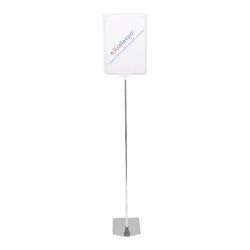
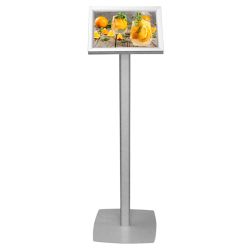
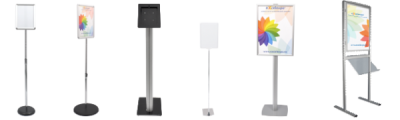
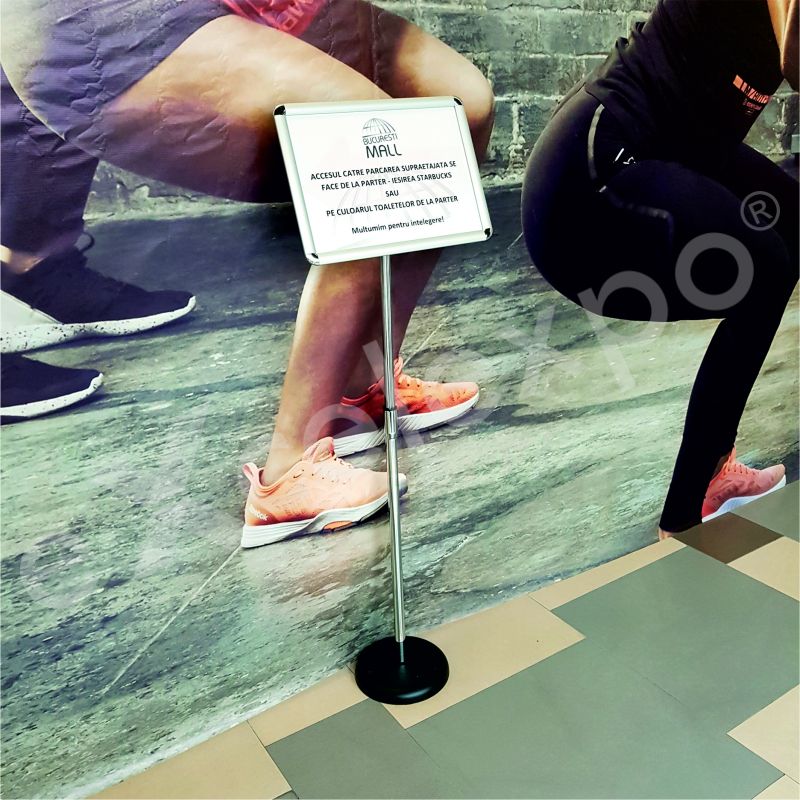
Floor Snap-Frame Holder
Want us to contact you?


|
Description: |
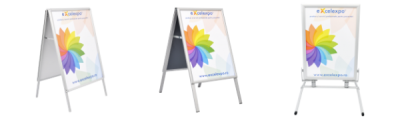
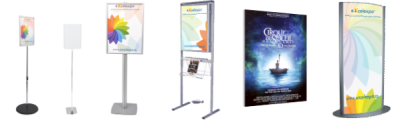
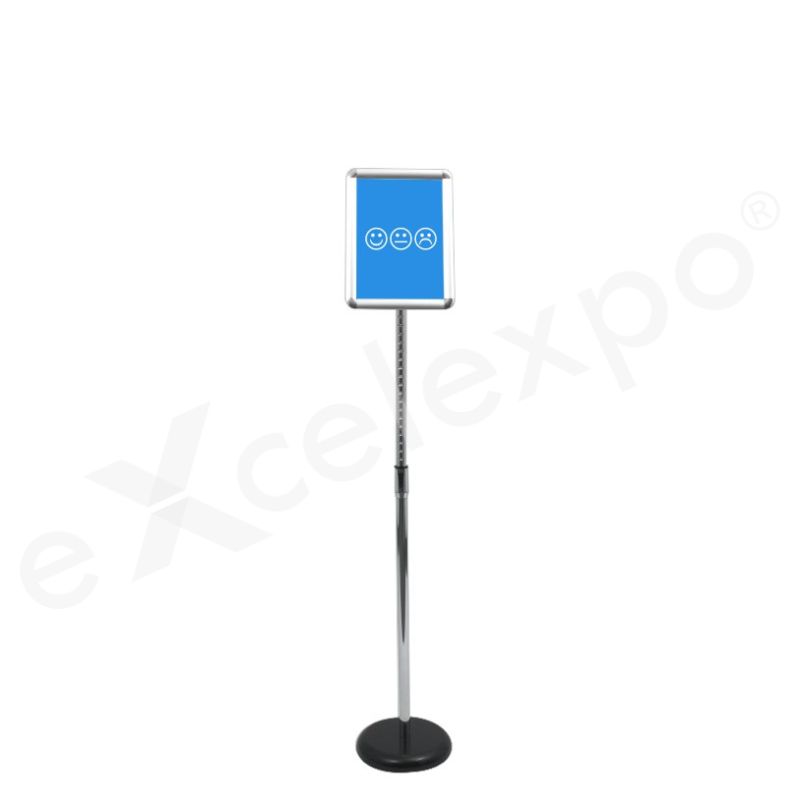
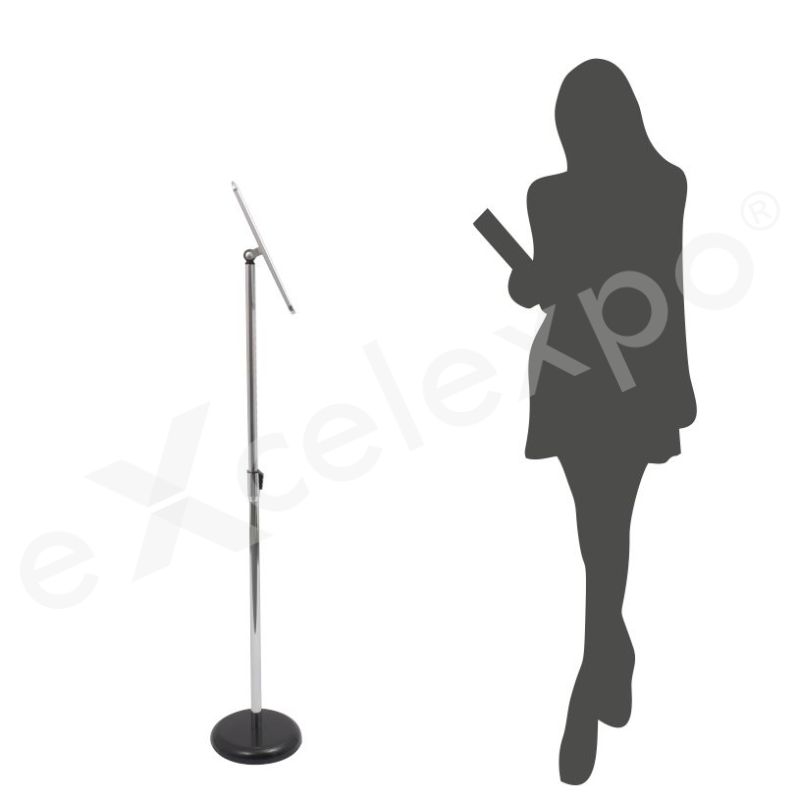
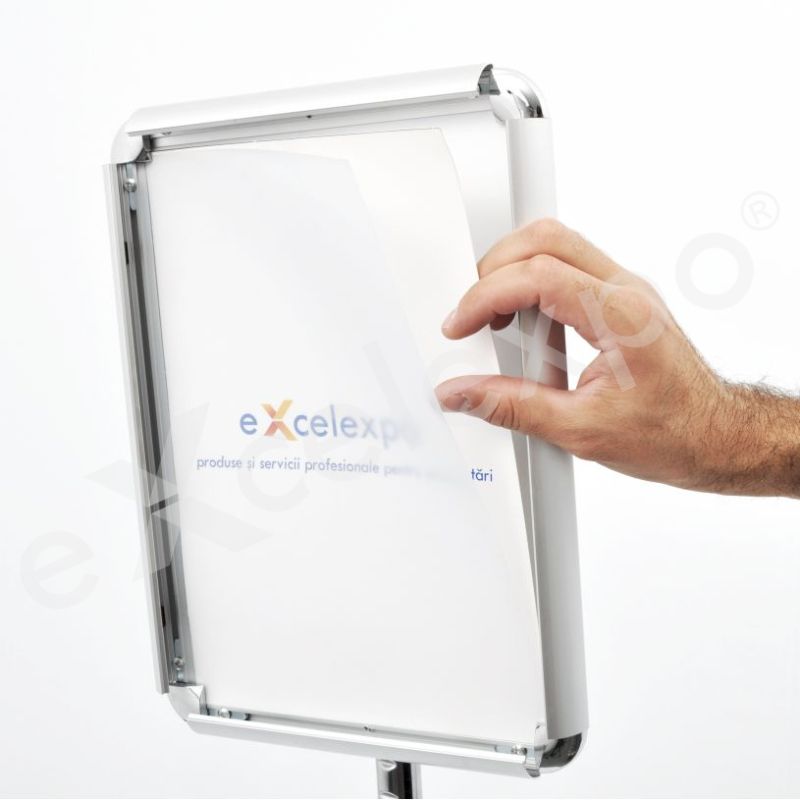
| Advantages: The angle of inclination of the frame and its orientation (portrait or landscape) can be easily adjusted. The frame's height can be adjusted between 90-145 cm with a button. The posters can be easily changed due to the frame's click system. The mounting is quick and easy, needs very little storage space and it's facile to carry: when dismantled it fits in a small box. |
| Graphics: material: printed paper / graphic layout size: A4 (210x297mm) / A3 (297x420mm) (LxH) |
| Dimensions: assembled product: 40x90-145x40cm / 40x90-150x40cm(LxHxW) |
| Package: wrapping: plastic folio and cardboard / package size: 85x45x8cm (LxHxW) / weight: 3 / 4 Kg |
| File | Info |
|---|---|
 [en] AF010 AF030 DE200 IF010 IF020 LB022 - A4
|
[PDF, 2.25 MB] |
|
[en] AF011 AF031 DE201 IF011 IF021 LB023 LB043 - A3 EN
|
[PDF, 1.77 MB] |
|
[ro] AF010 AF030 DE200 IF010 IF020 LB022 - A4
|
[PDF, 2.43 MB] |
|
[ro] AF011 AF031 DE201 IF011 IF021 LB023 LB043 - A3 RO
|
[PDF, 1.78 MB] |
Graphic layout
If you choose a product or an option that includes graphics/print, we will need a file with the graphic layout to complete the order. You can find the graphic specifications and templates for the product of interest in the "Instructions" tab from the product description, or you can ask them from your Sales Representative.
Also, if you want us to create the graphic layout you can place an order on the website choosing SE020 - DTP services (/working hour) or you can send us an e-mail at sales@excelexpo.ro with instructions and all the necessary details (logo, text, pictures, etc.). Later, the Sales Representative will return with a price quotation.
If you already have the graphics/print or intend to produce and install by yourself, for compatibility, please compare in advance its size and features with those mentioned in the product description and in the graphic specifications file.
The graphic specifications of the layout are as follows:
• total dimensions: depending on the product; check the field "graphic layout size" in the detailed description of each product,
• the artwork should be built as one file, without bleed/trimming marks,
• scale: 1:1,
• file format: TIFF, JPG, PDF, CDR, EPS, PSD, AI - we recommend TIFF,
• color mode: RGB, CMYK or RGB, CMYK si Pantone combinations (only in PDF or AI files),
• picture resolution of a minimum of 72 dpi. We recommend you send the file with a resolution of 150 dpi or higher,
• all Corel Draw files must have fonts converted to outlines (if graphics are sent in this format),
• we recommend using the LZW compression when exporting TIFF files (if the graphic is sent in this format).
The graphic layout can be sent using one of the following options:
• by e-mail (for files up to 10 MB)
• by a web file hosting service (such as www.wetransfer.com, etc.).
Please note the name of the Company and Product you want to customize in the file name. Also, please mention in the order the way you choose to send the layouts. Due to informatics virus risks, we are not able to receive layouts by stick USB, external HDD, DVD, CD, etc.
Please consider the following:
• Files sent without a previous order will not be taken into consideration.
• Excelexpo uses the files only to produce the prints/graphics. Your files are kept for a maximum of 30 days from receipt, after which they will be deleted.
• Please take into consideration that the colors of the graphics may slightly differ from the colors on your monitor or on other promotional materials, due to factors such as the type of material to be printed, the ink type, print technology, your monitor calibration, etc. Therefore, we recommend all clients request in advance a FREE print sample (the cost of sending the sample is on the client's account). The request must be sent with the order or after, but BEFORE sending the layout. Excelexpo cannot comply with requests received after starting to produce the graphics!
• Please check the layouts carefully before sending or approving them for print. Sending the layout implies that you agree that the file is final and correct, complete, and good to print. Excelexpo cannot be held responsible for the content, form, quality, and resolution of the sent and approved layouts.
• The client is responsible for compliance with the legal provision of intellectual, industrial, and copyright property rights (invention, innovation, brand, industrial design, logo, name, copyright, etc.) regarding the ordered products and/or their graphics; irrespective of who designed the layout: the client, Excelexpo or others.
Delivery details
The products are available for delivery after the production period. The estimated production time is mentioned in the “Production" field.
Delivery fee:
- the delivery fee is at the courier company's rate. For orders placed on the website, the delivery fee is automatically calculated based on the weight after the delivery address is entered.
- for orders placed by email or telephone, the fee will be communicated in the quotation or order confirmation.
- alternatively, the client may choose to collect the products from the Excelexpo location, either directly or by their own courier company, during working hours (L-V: 09:00 – 17:30).
- for the rented products, the delivery fee applies for round-trip deliveries.
Delivery time:
- 1-2 working days, from the date of the products' completion for locations in Romania, outside Bucharest,
- 2-5 working days, from the date of the products' completion for locations in the European Union, depending on the country of destination.
For details, please access Excelexpo Delivery Terms.
Who it’s for
The Menuboard is designed for organizations that require adaptable and professional information display solutions. It is ideal for retail business owners needing to frequently update in-store promotions, daily specials, or product information, offering easy poster changes and adjustable viewing to keep content current. Event and exhibition coordinators will find it invaluable for portable, quick-to-assemble signage that directs attendees or highlights key features at temporary venues. Additionally, office building managers and corporate environments benefit from a professional, adjustable stand to display visitor information, directional signs, or announcements in lobbies and common areas.
Key features
Height-Adjustable Display: Provides flexible positioning to suit diverse viewing requirements in various environments. The display height is adjustable from 90 cm to 145 cm, offering a significant 55 cm range for vertical customization.
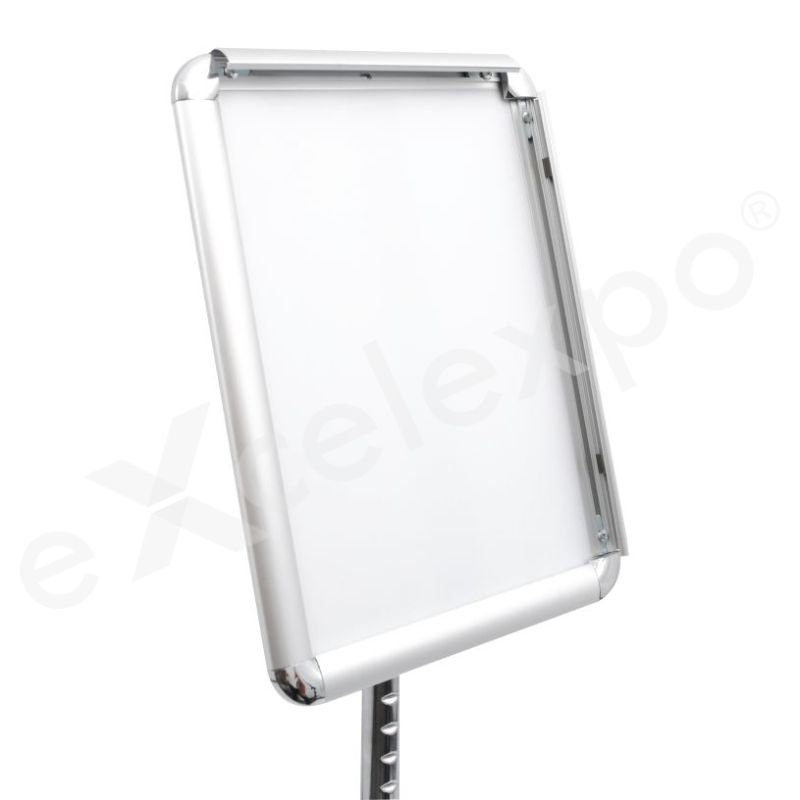
Dual-Format Snap-Frame: Enables rapid poster changes and versatile content display for dynamic promotions or information updates. This click-frame system accommodates both A4 (210x297mm) and A3 (297x420mm) graphic layouts.
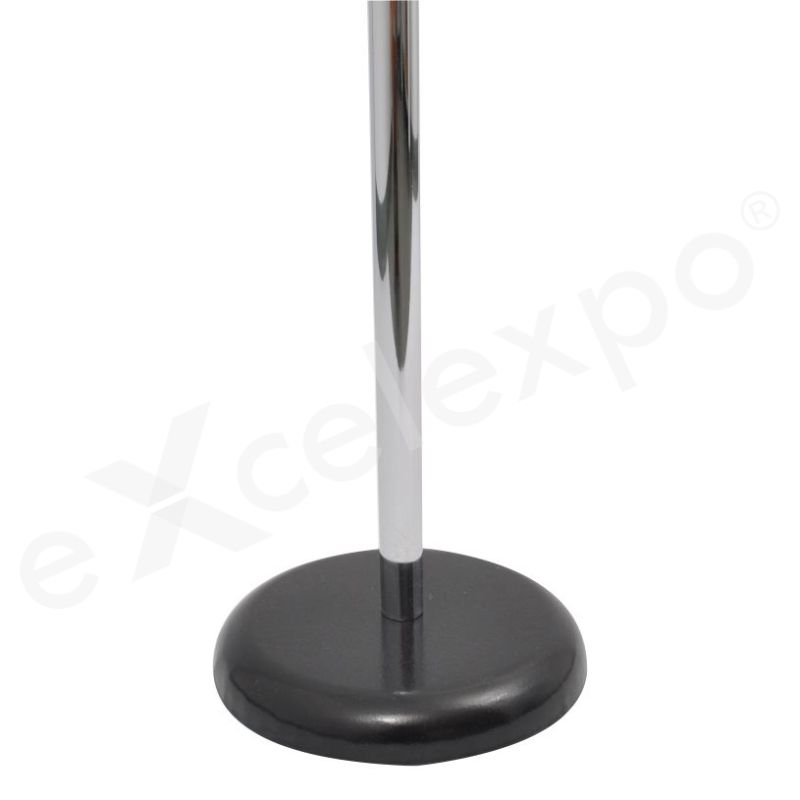
Robust & Stable Base: Ensures the display remains secure and upright in high-traffic locations. Features an electrostatically painted metal base with an assembled footprint of 40x40cm, contributing to an overall package weight of 3 to 4 kg for stability.
Anti-Reflection Poster Protection: Safeguards your printed media from damage and maintains clear visibility under varying lighting conditions. A transparent anti-reflection PVC foil covers the display area, protecting graphic inserts up to A3 (297x420mm) in size.
Compact & Portable Design: Facilitates effortless transportation and minimal storage space when not in active use. The system dismantles to fit into a compact package measuring 85x45x8cm and weighs between 3 and 4 kg.
Unique differentiators
The Menuboard distinguishes itself from conventional display solutions through a combination of versatile adjustability, user-friendly operation, and superior portability. Unlike many standard floor displays that offer limited customization, the Menuboard provides comprehensive flexibility, allowing users to precisely tailor their presentation.
It is one of the most adaptable floor displays available, featuring an adjustable stainless steel rod that allows for height modifications between 90-145 cm (or 90-150 cm). Furthermore, the integrated A4/A3 snap-frame is uniquely designed for dual adjustment: both its angle of inclination and orientation (portrait or landscape) can be easily configured, providing optimal viewing in diverse environments. This level of integrated adjustability for height, angle, and orientation is a standout feature, enabling a truly customized display experience.
For poster management, the Menuboard incorporates a highly efficient click frame (snap-frame) system. This mechanism facilitates exceptionally quick and effortless poster changes, significantly reducing the time and effort typically associated with updating display content compared to screw-fixed or slot-in frames found in many alternatives. Additionally, the display area is safeguarded by a transparent anti-reflection PVC foil, ensuring superior poster protection and enhanced visibility under various lighting conditions, a crucial advantage over unprotected displays.
Beyond its operational benefits, the Menuboard excels in practical logistics. It is designed for remarkably quick and easy mounting, and when dismantled, it compacts into a small box (package size: 85x45x8cm, weighing 3-4 kg). This design makes it an exceptionally portable and space-saving solution, making transport and storage significantly more convenient than the typically rigid and bulky structures of many standard display stands.
| Feature | Menuboard | Standard Alternatives |
|---|---|---|
| Adjustability | Comprehensive (Height 90-145/150cm, Angle, Orientation) | Limited (Often fixed or single axis adjustment) |
| Poster Change Mechanism | Snap-frame (Quick & tool-free) | Screw-in / Slot-in (More time-consuming) |
| Portability & Storage | Dismantles to compact box (Easy transport & storage) | Often rigid or bulky (Challenging to move) |
Why this product
Are you struggling to capture your customers' attention and present your menu or key messages effectively? An unclear or outdated display can diminish your brand's professionalism, making it harder for patrons to quickly grasp your offerings and engage with your establishment.
Our Menuboard offers a sophisticated solution, designed to make your important information stand out. It provides a luminous, high-contrast display that ensures maximum readability and immediate visual impact, guiding your customers effortlessly through your options.
This menuboard features advanced, evenly distributed LED backlighting, guaranteeing brilliant illumination across your entire display. This superior brightness ensures your content is vivid and legible in various environments, from bright cafes to dimly lit restaurants, for clear viewing.
Frequent menu changes or promotional updates often present a logistical challenge. Complex or fragile display systems can lead to frustration, wasted time, and the potential for displaying outdated information, which can negatively affect customer satisfaction and operational efficiency.
The Menuboard simplifies this process significantly. Its intuitive design allows for swift and hassle-free graphic changes, enabling you to keep your promotions, daily specials, or vital notices perfectly current with minimal effort. Maintain a dynamic and responsive presence.
Engineered with a robust, front-loading snap frame mechanism, updating your display takes mere seconds without any tools. Crafted from durable, lightweight aluminum, this menuboard is built for sustained use, offering reliable performance and a sleek aesthetic over time.
Frequently Asked
Frequently Asked Questions about the Menuboard
Question: What types of content can I display on this Menuboard?
Answer: The Menuboard allows for dynamic display of various content, including daily specials, pricing, event schedules, and promotional messages. Its versatile surface is designed to clearly showcase handwritten text or pre-printed graphics, making it ideal for restaurants, cafes, and retail environments seeking flexible communication.
Question: How do I install or mount the Menuboard securely?
Answer: To install the Menuboard securely, utilize the integrated mounting points on the frame and appropriate wall anchors for your specific wall type. Begin by measuring and marking the desired placement, then drill pilot holes before fastening the board firmly to ensure stability. Installation instructions are included for guidance.
Question: Is the Menuboard suitable for outdoor use?
Answer: The Menuboard is primarily designed for indoor use to ensure optimal longevity and performance. While it can tolerate brief exposure to mild outdoor conditions, continuous outdoor placement with direct sunlight or heavy rain is not recommended as it may affect the surface and frame integrity over time.
Question: What markers or writing tools are compatible with the Menuboard surface?
Answer: This Menuboard is compatible with standard liquid chalk markers or high-quality dry-erase markers, depending on the specific model. Always test a small, inconspicuous area first to confirm compatibility and ease of erasure before full use. Avoid permanent markers to prevent damage to the display surface.
Question: How do I clean and maintain the Menuboard to ensure longevity?
Answer: To clean your Menuboard, simply use a soft, damp cloth or a specialized board cleaner, gently wiping the surface clean after each use. Avoid abrasive cleaners or scouring pads, as these can scratch or damage the display finish. Regular cleaning prevents ghosting and maintains clarity.